Importing Project from SAS Forecast Server Fails with Conflict Message
Description
When importing a FAR filean archive file that has been exported from a SAS Forecast Server project. The file contains the data definitions, properties, events, and other resources needed to run the project in another environment. The other environment could be a SAS Forecast Server or a SAS Visual Forecasting deployment. that has been exported from SAS Forecast Server, the import fails with a message that simply states "Conflict".
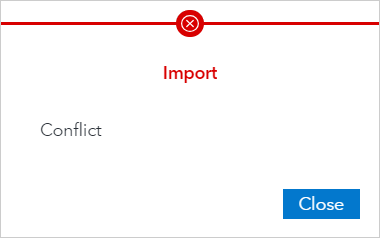
This message is seen when importing from the Projects page in SAS Model Studio. The error also occurs if you are importing using the SAS Viya command line interface. In both cases, the project appears on the Projects page, but you cannot open it and you cannot access the migration report.
This issue occurs using release 2023.09.
Solution
This often problem occurs when the project that is imported contains an eventan incident that disrupts the normal flow of any process that generates the time series. Examples of events are holidays, retail promotions, and natural disasters. with a name that conflicts with a predefined event, such as Christmas. To fix this, go back to SAS Forecast Studio and rename the event in the project. Then you can export it using SAS Forecast Project Manager.