Updating Time Series Data
Over time, the original time seriesan aggregation of transactional data into specified time intervals and sorted according to unique combinations of the default attributes (BY variables) for a project is updated with new data. If you are in the project when the data is updated, you can refresh the project data by following the steps in Refreshing Project Data.
If you are not in the project when the data is updated, then the next time you open the project, this message shows the time series table in CAS that has been updated.
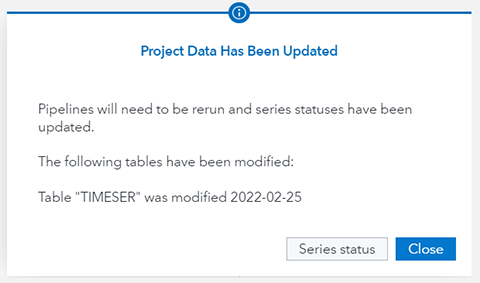
In the message window, click Series Status. A window appears.It shows any time series that have been added or removed. If time series were removed, any filtersa set of specified criteria that are applied to data in order to identify the subset of data for a subsequent operation, such as continued processing. that were created using those time series are disabled.
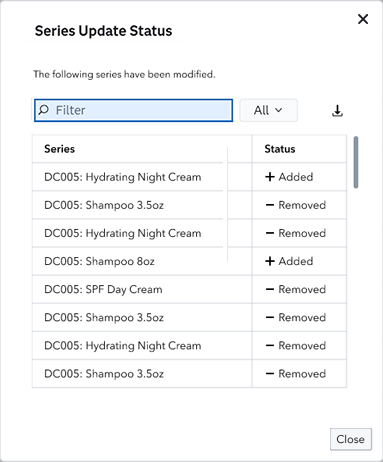
If you dismiss this window, you can retrieve it by
clicking  in the project banner. It always shows the latest updates that added or removed
time series in the project.
in the project banner. It always shows the latest updates that added or removed
time series in the project.
If there are a lot of new and removed time series, you can download the list by clicking  .
.
The update might include observations that add additional time periods of actual data to the end of the project time line. If the updated data includes more variables, the new variables are shown in the Data tab with the role set to None. You can assign the new variables as independent variables for the project.
If the updated data removes or changes any of the variables in the original data source, the data refresh fails.