MODEL Procedure
Example 24.20 Illustration of ODS Graphics
(View the complete code for this example.)
This example illustrates graphical output from PROC MODEL. This is a continuation of the section Nonlinear Regression Analysis. For information about the graphics available in the MODEL procedure, see the section ODS Graphics.
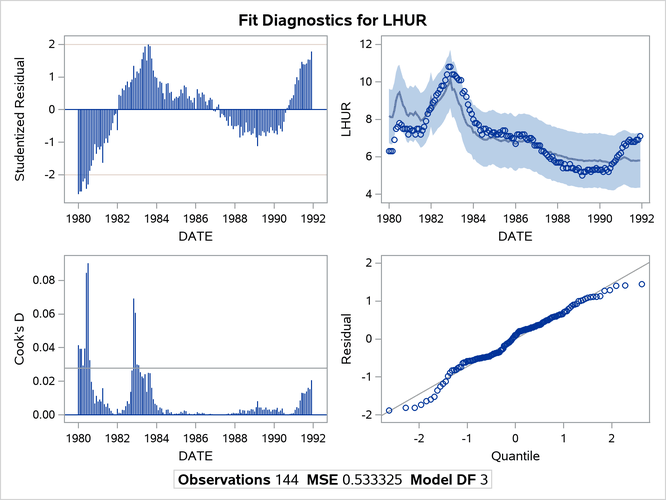
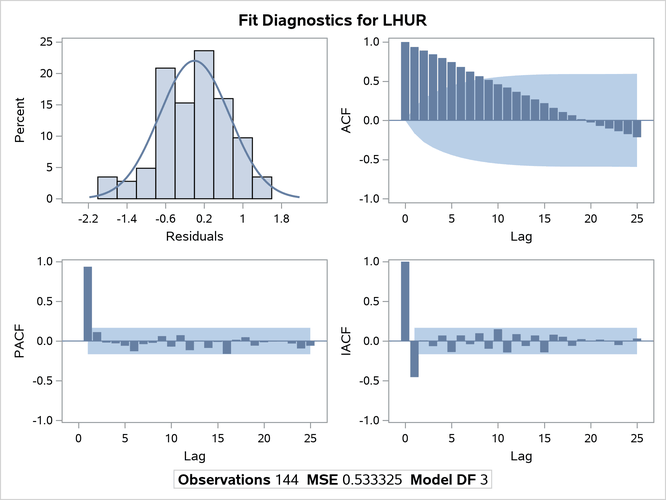
The following statements show how to generate ODS Graphics plots with the MODEL procedure. The plots are displayed in Output 24.20.1 and Output 24.20.2. Note that the variable DATE in the ID statement is used to define the horizontal tick mark values when appropriate.
title1 'Example of Graphical Output from PROC MODEL';

proc model data=sashelp.citimon;
   lhur = 1/(a * ip + b) + c;
   fit lhur;
   id date;
run;
Output 24.20.1: Diagnostics Plots
Output 24.20.2: Diagnostics Plots
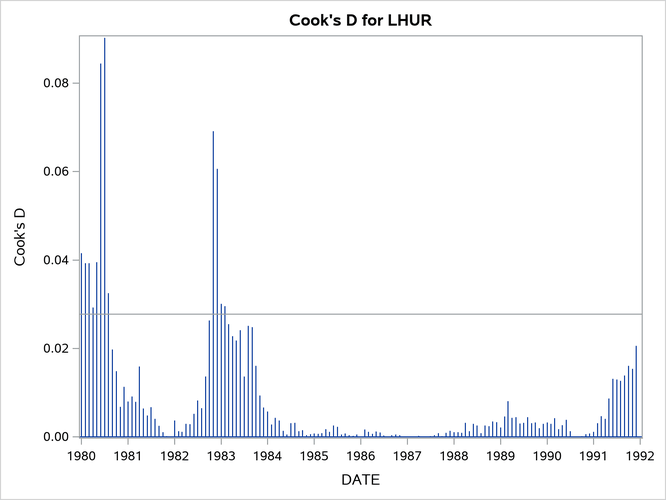
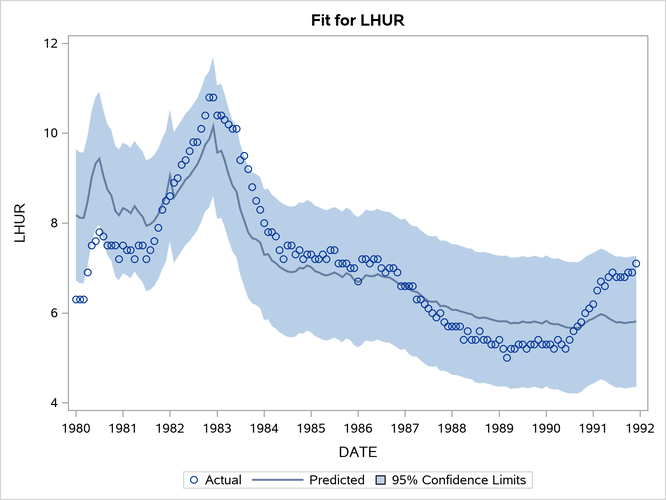
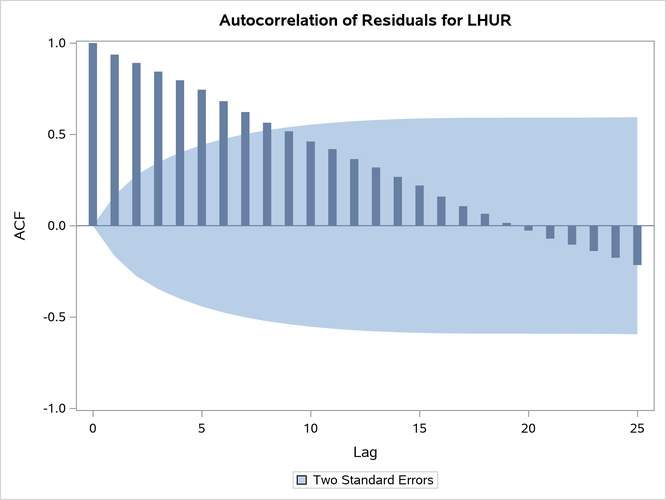
You can also obtain the plots in the diagnostics panel as separate graphs by specifying the PLOTS(UNPACK) option. These plots are displayed in Output 24.20.3 through Output 24.20.10.
title1 'Unpacked Graphical Output from PROC MODEL';

proc model data=sashelp.citimon plots(unpack);
   lhur = 1/(a * ip + b) + c;
   fit lhur;
   id date;
run;
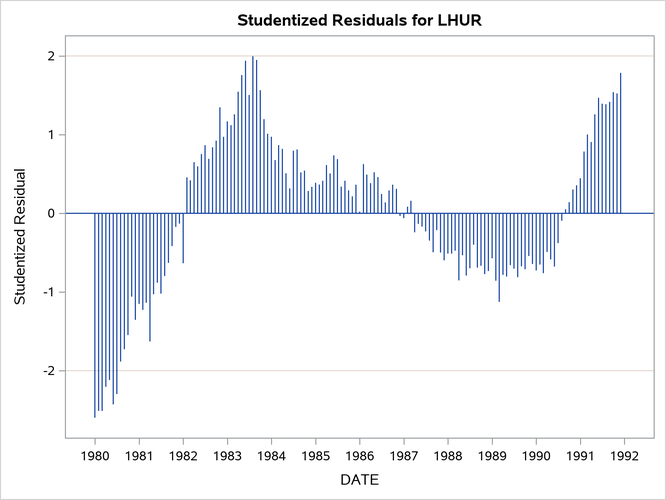
Output 24.20.3: Studentized Residuals Plot
Output 24.20.4: Cook’s D Plot
Output 24.20.5: Predicted versus Actual Plot
Output 24.20.6: Autocorrelation of Residuals Plot
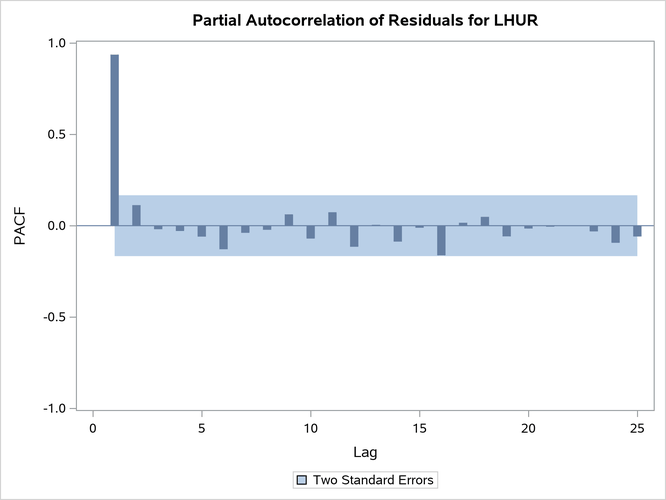
Output 24.20.7: Partial Autocorrelation of Residuals Plot
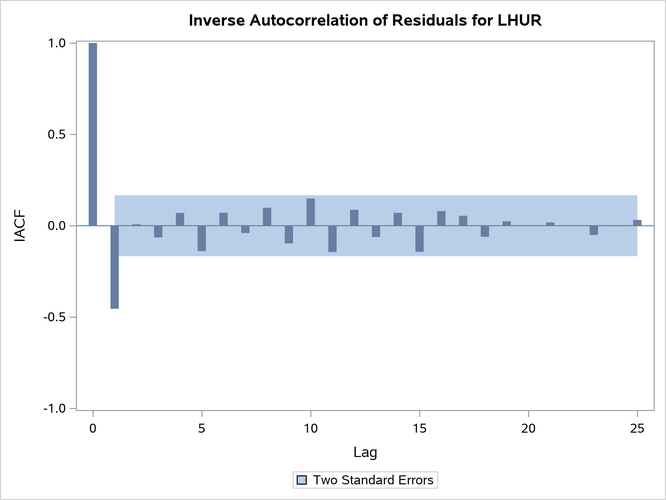
Output 24.20.8: Inverse Autocorrelation of Residuals Plot
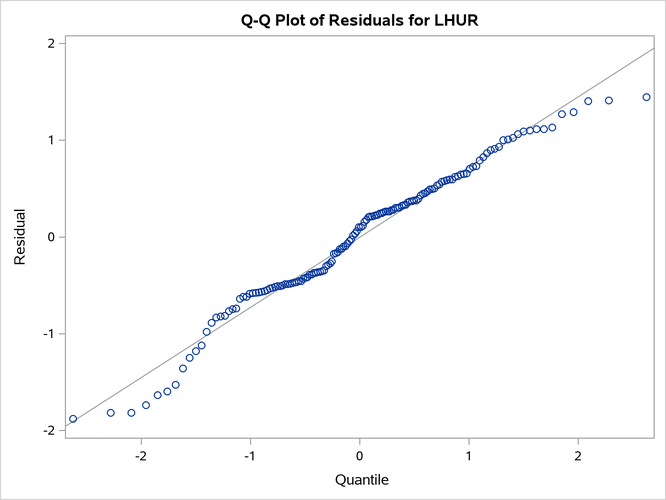
Output 24.20.9: Q-Q Plot of Residuals
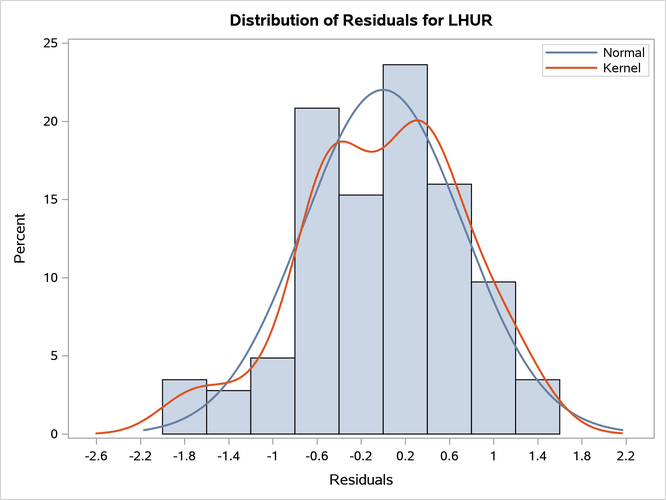
Output 24.20.10: Histogram of Residuals